
Win32 P/Invoke Telemetry
Sub-millisecond high-precision delta math via GetSystemTimes and GlobalMemoryStatusEx passed by reference, with zero GC pressure.

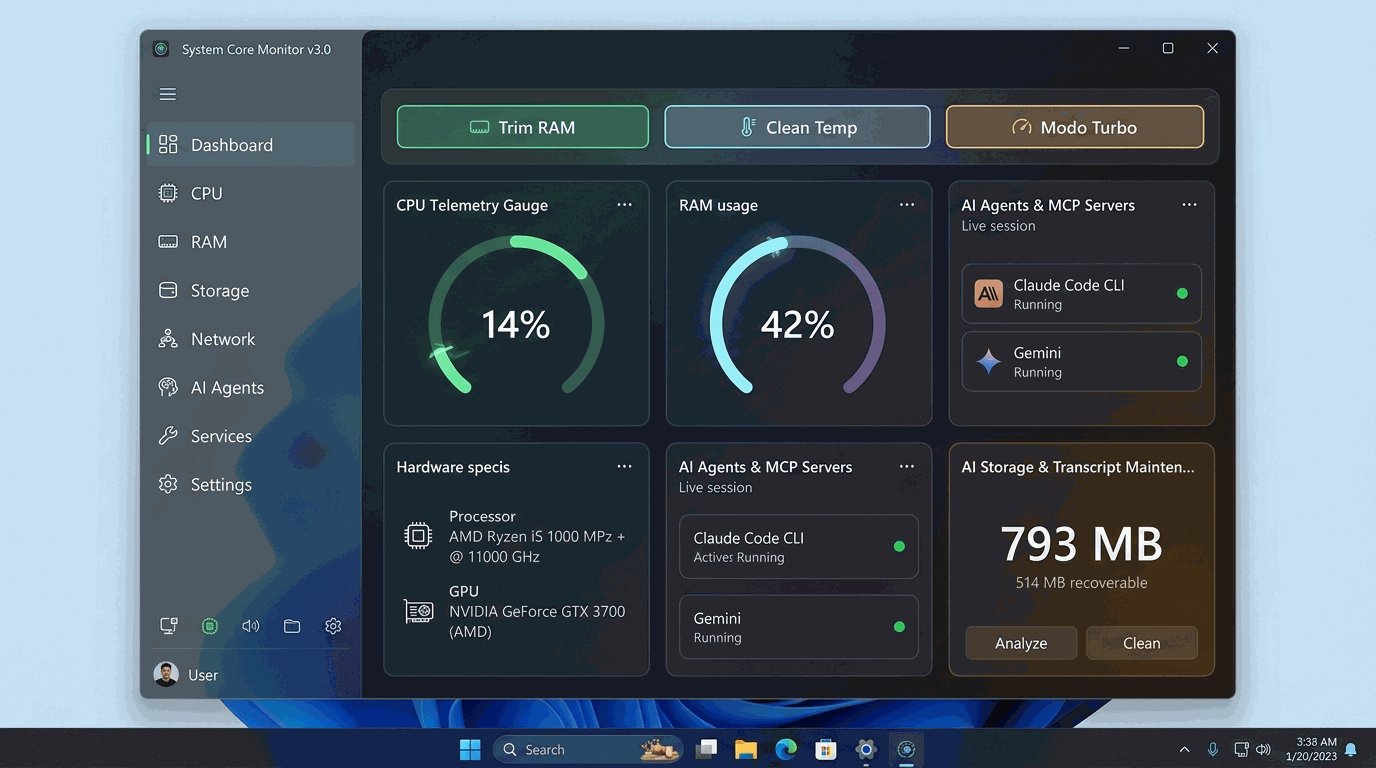
Track CPU and memory usage, keep tabs on background Claude and Gemini sessions, and clean up temporary files or stuck tasks from one fast, lightweight app.
Zero telemetry. Your data stays on your device.
Optimized build, zero bloatware or lag.
Transparent open source code on GitHub.
Sub-millisecond high-precision delta math via GetSystemTimes and GlobalMemoryStatusEx passed by reference, with zero GC pressure.
Real-time observability of Claude Code CLI, Gemini, and compiled MCP subprocesses (Go, Rust, Node, Python) with dedicated CPU and RAM tracking.
Intelligent scanning and safe pruning of stale session .jsonl files (>7 days) with an inviolable 24-hour grace window and config file protection.
Instant 0.01 ms switching between Balanced, High Performance, and Power Saver schemes with PowrProf.dll, without UAC elevation.
Multi-zone cleaning of temporary files (>24h), idle memory page trimming with EmptyWorkingSet, and regenerable build cache cleanup.
Turbo Mode, DNS cache flush, suspend/resume for runaway processes, and rescue for unresponsive apps, all via direct kernel calls.
DirectX DXGI graphics hardware discovery and neural processing unit (NPU) accelerator probing via native SetupAPI calls.
Two-phase graceful close (WM_CLOSE), reverse topological tree termination, and Windows PID recycling safeguards.
Enhanced 14-16px typography, sharp 20x20 vector icons, 240px navigation sidebar, and 4 dynamic XAML themes.
Instantly switches to High Performance power plan (unparking CPU cores) and aggressively purges idle RAM working sets.
Directly resets the Windows DNS resolver cache in 0.01 ms to resolve networking glitches and unreachable web pages.
Safely clears cache files in %TEMP%, Windows\Temp, and WinSxS (>24h). Isolated against NTFS Junctions with dual-timestamp safety gate.
Scans and safely reclaims hundreds of megabytes of stale Claude Code and Gemini session histories while protecting active sessions.
Freezes runaway background tasks dropping CPU to 0% without closing windows, with instant resume capability.
Detects unresponsive applications (IsResponding == false) with graceful close requests and safe termination of orphan subprocesses.
No. All CPU, RAM, disk, network telemetry, power plan switching, AI agent monitoring, and temp cleaning run under standard user permissions.
Unlike modern Electron-based tools that bundle an entire Chromium browser and Node (>150 MB), System Core Monitor is compiled directly in native C# targeting .NET 9 with zero third-party dependencies.
It leverages Win32 Toolhelp32 process snapshots to discover Claude Code CLI, Gemini, and MCP server child processes (Go, Rust, Node, Python), aggregating their resource consumption.
Yes. It strictly enforces a 24-hour inviolable grace window for recent files, checks live process PIDs to avoid active sessions, and blacklists config and memory files (CLAUDE.md, GEMINI.md, settings.json).
Explore architectural trade-offs, technology stack, and key engineering learnings in the full Projects Hub case study.